IOTHS

For people who think in plain text

IOTHSCapture the work before it becomes a plan

A private, offline-first Markdown companion for your existing notes library. Begin with a note, add checkboxes when the work appears, and keep every file readable, portable, and yours.

Download on the App Store No account required. No proprietary format.
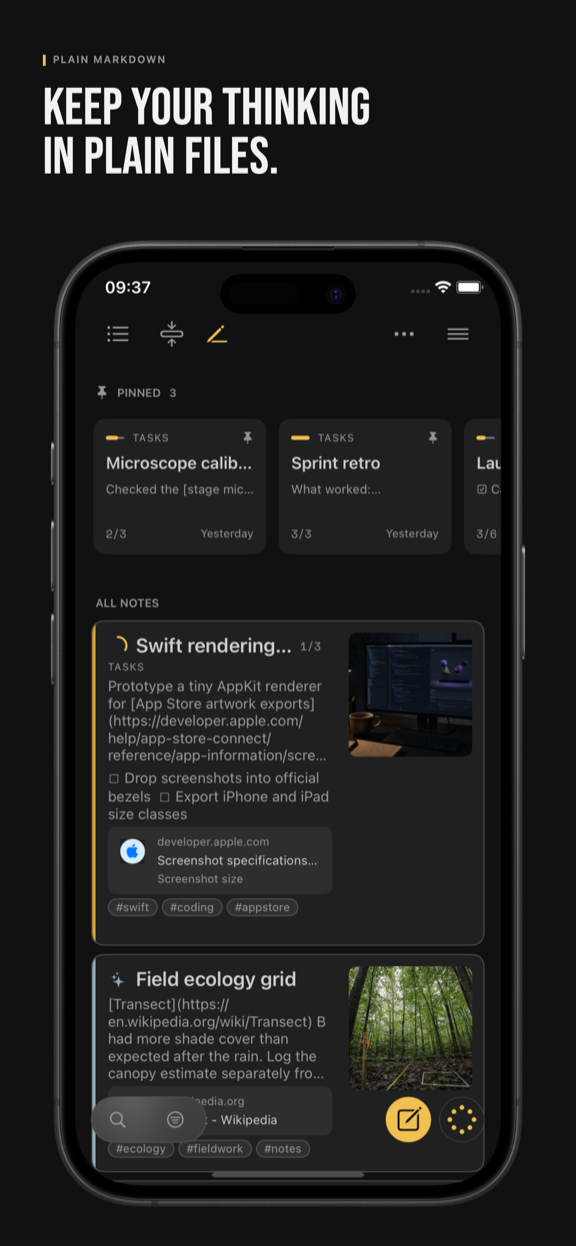
IOTHS Library in dark mode on iPhone, showing notes, task progress, tags, and link previews

A small idea about emergence

Start with the smallest true thing.

Knowledge work rarely arrives as a neat plan. It starts as an observation, a question, or a half-formed thought. In IOTHS, that thought can stay a note until a few checkboxes reveal work worth doing.

The app does not pretend to predict what happens next. It gives the work somewhere calm to change shape: a note becomes a checklist, a checklist becomes active work, and the board shows the pattern that is already there.

  1. 01Notice Write the first useful sentence.
  2. 02Explore Add a checklist when there are next steps.
  3. 03Commit Mark one note in progress when it matters now.
  4. 04See Let the task view and board make the work visible.

Tasks, kanban, and focus

Notes that double as tasks

Any checklist inside a note turns it into a task note — no separate task manager to maintain.

A kanban board built for one

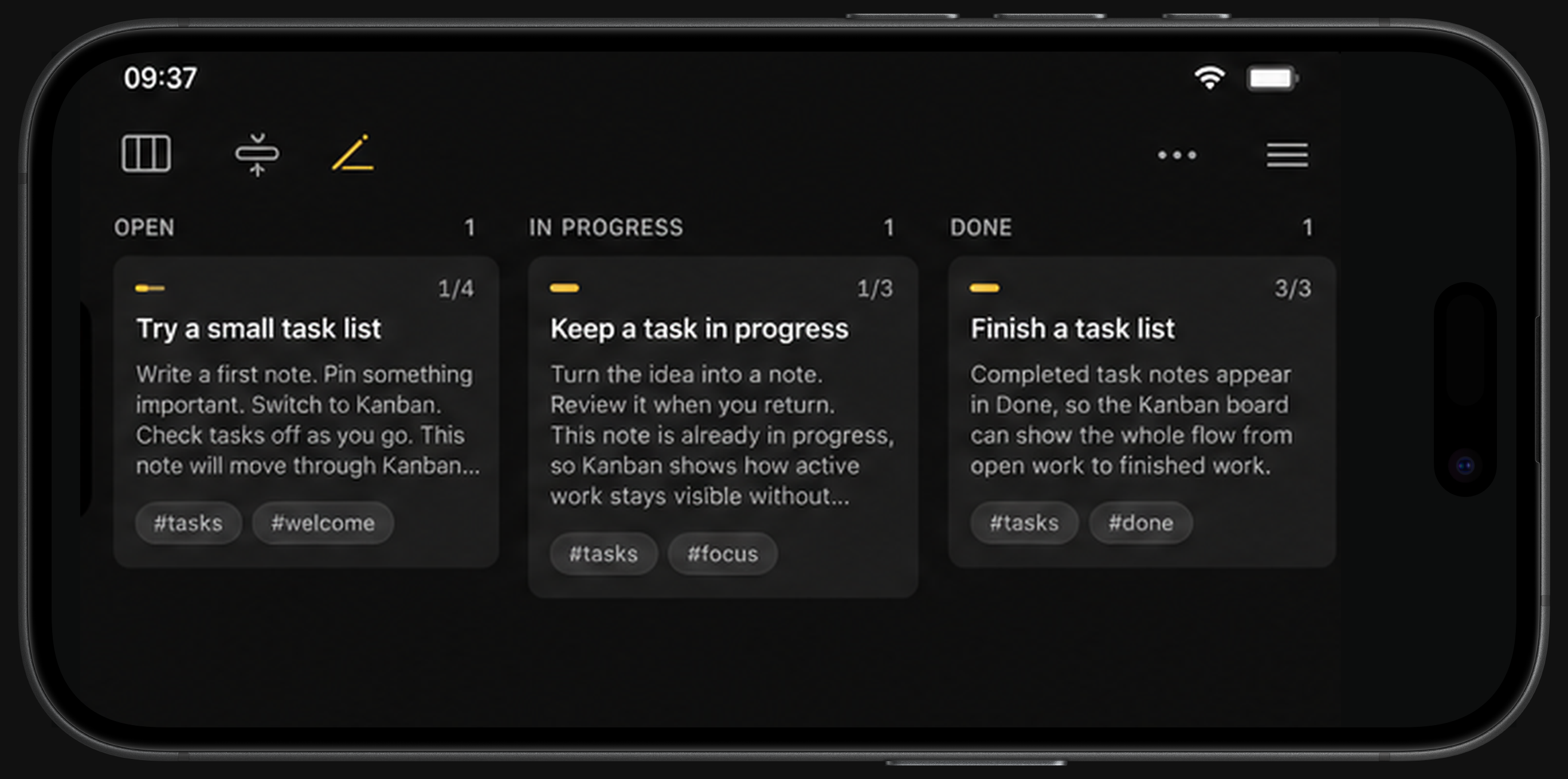
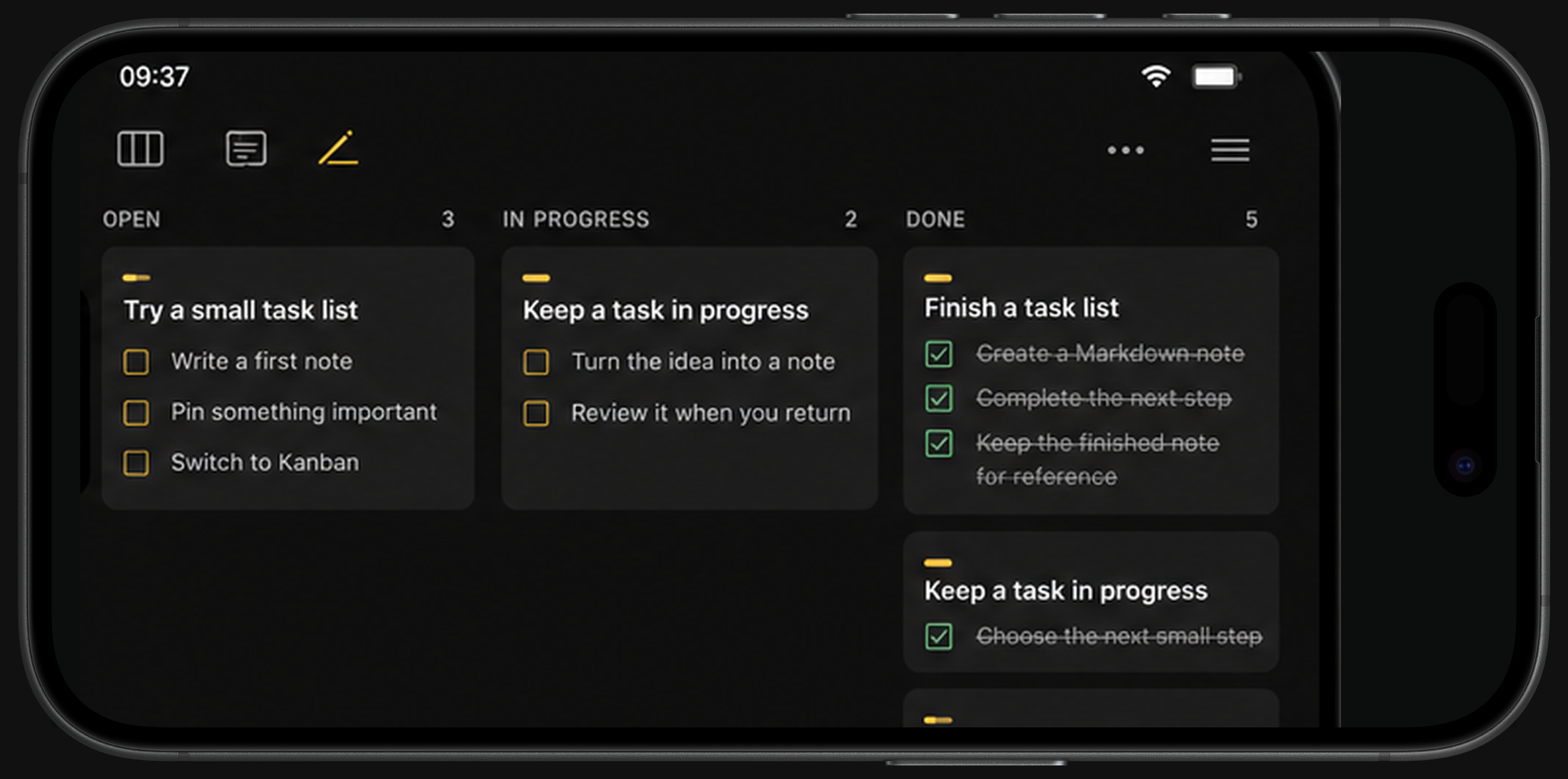
Switch between Tile, List, and Kanban layouts. In Kanban, choose note cards or individual tasks grouped by their source note. Cards move lanes automatically as tasks get checked off.

A work-in-progress limit that means it

Cap how many notes can be "in progress" at once, so focus stays real instead of aspirational.

Every task, one screen

A dedicated Tasks view flattens every open checklist item across your whole Library into one list.

Capture, fast

Type, dictate, or snap a photo

Camera, voice, and Share Extension capture land straight in Markdown.

PDF to Markdown

Convert a PDF to Markdown with on-device review before you save.

Tags, pins, and search

Tags, pinned notes, and quick search keep everything findable.

Widgets

A Home Screen widget for a glanceable view of what matters most.

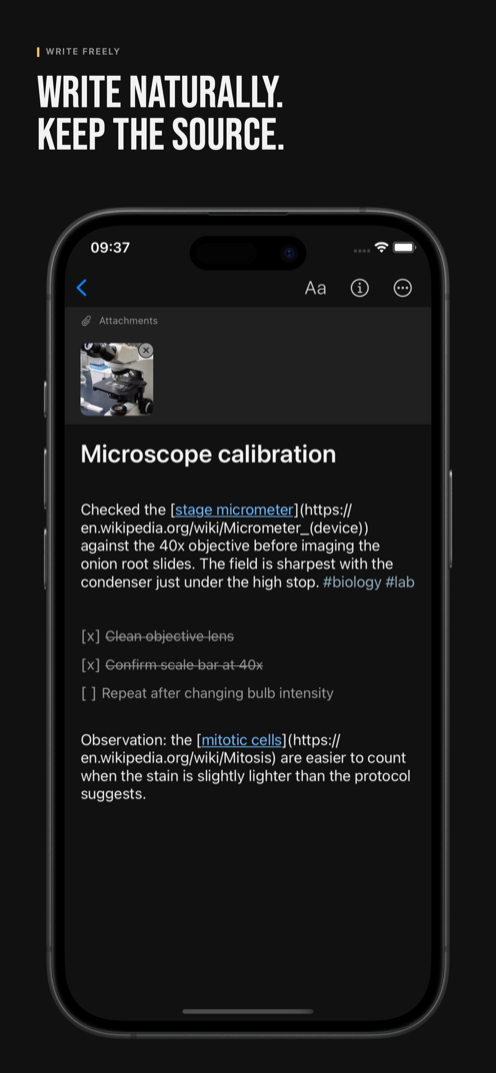
IOTHS note editor on iPhone with a photo attachment, Markdown link, tags, and checklist

No black box

Built on plain files

Notes are stored as .md files with YAML frontmatter — the same structure Obsidian uses. Nothing proprietary, nothing to migrate later. Open your notes in any text editor, on any device, at any time.

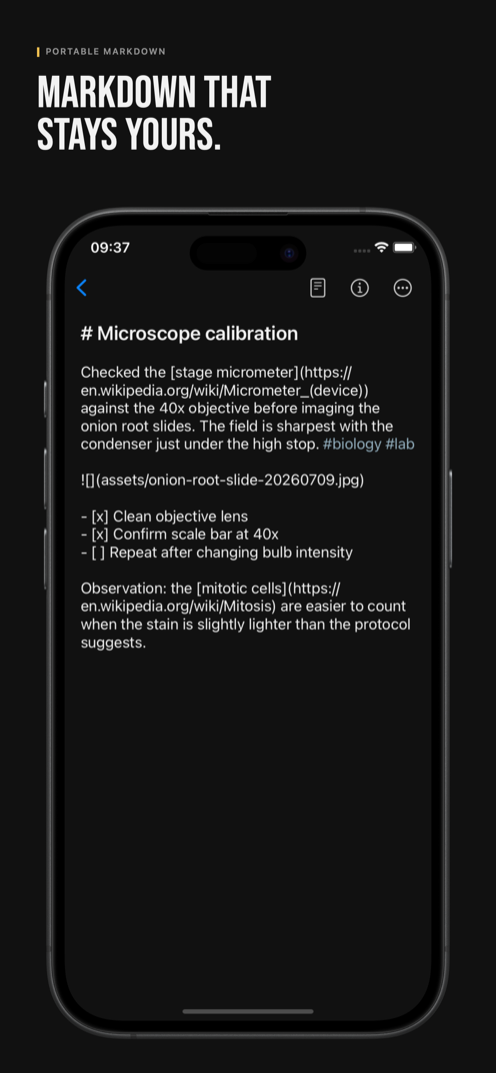
IOTHS raw Markdown editor on iPhone, showing portable Markdown source

Private by default

Your notes stay on this device until you explicitly turn on a sync destination. There's no IOTHS account and no developer-operated sign-in. Usage analytics are off unless you turn them on, and even then they never include note content, titles, or tags. Nothing is sold. Nothing trains an AI model. Read the full Privacy Policy.

Unlock more storage

Full Unlock is a one-time purchase — not a subscription — that adds:

  • Files folder storage, when your selected provider allows folder selection
  • GitHub storage and sync, to a dedicated repository path
  • GitLab storage and sync, to a dedicated project path
  • OneDrive storage and sync, to a dedicated app folder in your personal Microsoft account, plus portable export — save your whole Library as a ZIP archive anytime

Capture, editing, reading, sharing, PDF conversion, tagging, task tracking, archive, and trash recovery are free, forever.

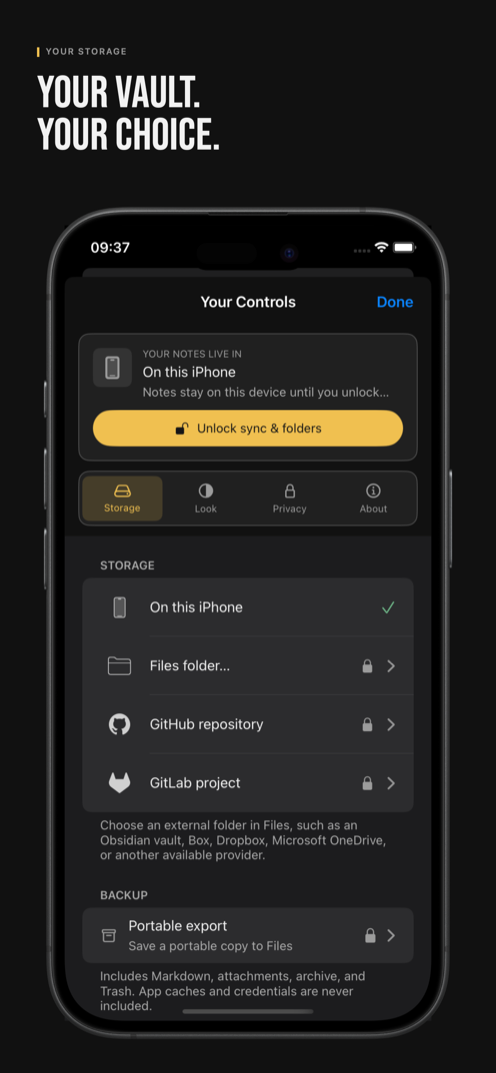
IOTHS Storage setup on iPhone with on-device, Files folder, GitHub, GitLab, and portable export options

Why this exists

I built IOTHS for myself, first. I'd never found a notes app that actually fit — not functionally, not in how it felt to use — so I made the one I wanted. That's where it started: not to monetize it, not to be seen. Just to have it.

The icon is a small nod to Conway's Game of Life and complexity theory: simple local rules, surprising patterns. It is a familiar way to think about emergence in complex adaptive systems, not a claim that IOTHS models them. IOTHS is simply a place where a thought can stay small until the work asks for more structure.
The IOTHS app icon: a note dissolving into scattered pixels